 by
by

WINGS AND THEIR FEATURES
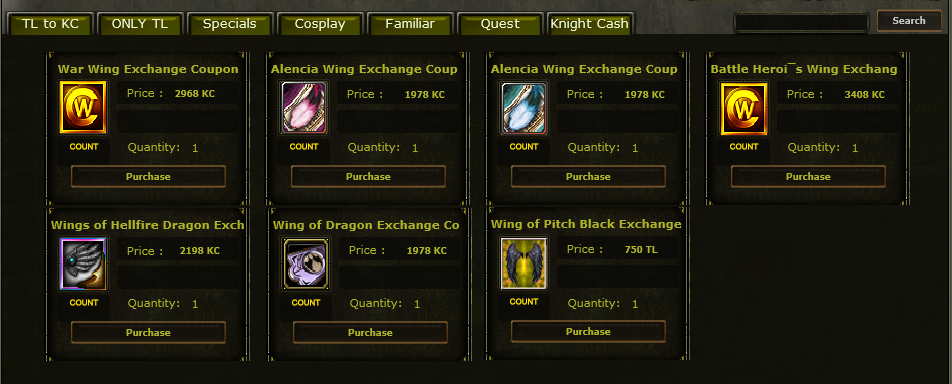
Wings are displayed on the PUS as shown in the attachment.
(All wings are valid for 1 month.)
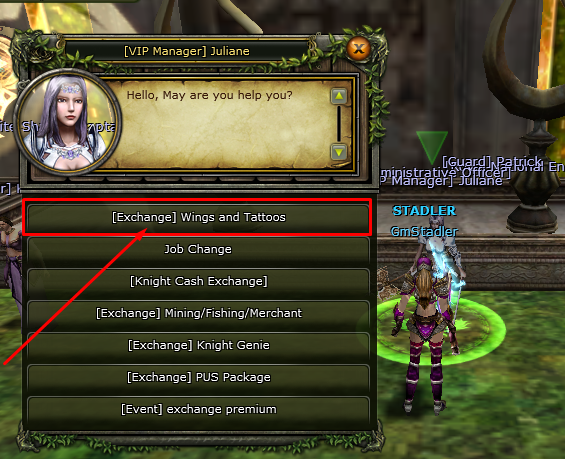
To extract a wing, first go to the [VIP Manager] Juliane NPC and click on the (Exchange) Wings and Tattoos option. Then select the wing you obtained and extract it with the desired stat.
-
 Battle Hero's Wing Exchange Coupon
-
War Wing Exchange Coupon
-
 Wing of Dragon Exchange Coupon
-
 Wings of Hellfire Dragon Exchange Voucher Coupon
-
 Alencia Wing(Blue) Exchange Voucher Coupon
-
 Alencia Wing(Red) Exchange Voucher Coupon
-
 Wing of Pitch Black

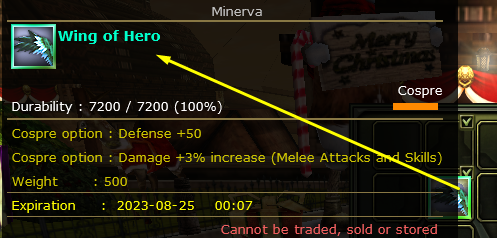
Battle Hero's Wing Exchange Coupon
+50 Defense
3% Damage increase
+500 Weight
provides these stats.
This is a character-bound item. Cannot be stored in the bank.


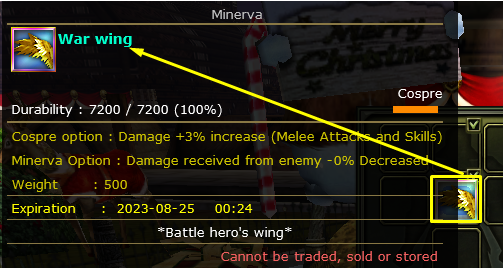
War Wing Exchange Coupon
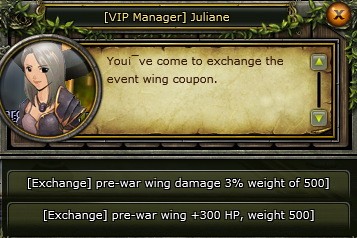
Can be extracted with 2 different stats.
Option 1: 3% damage increase, +500 weight
Option 2: +300 HP, +500 weight

Wing of Dragon Exchange Coupon
Can be extracted with 4 different stats. You can choose any one stat you desire.
Option 1: Nation Point +3
Option 2: Defense +50
Option 3: HP +300
Option 4: EXP +9%
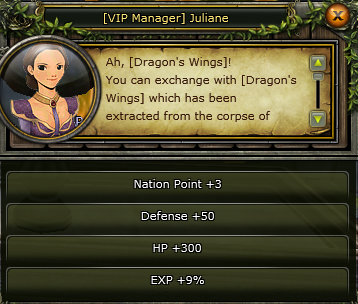
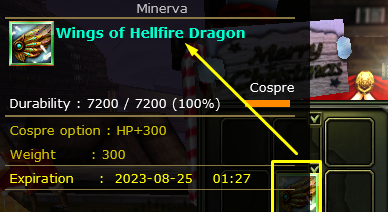
As an example, the (Exchange) HP +300 option has been clicked.
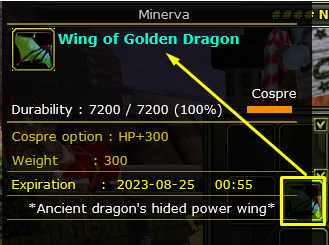
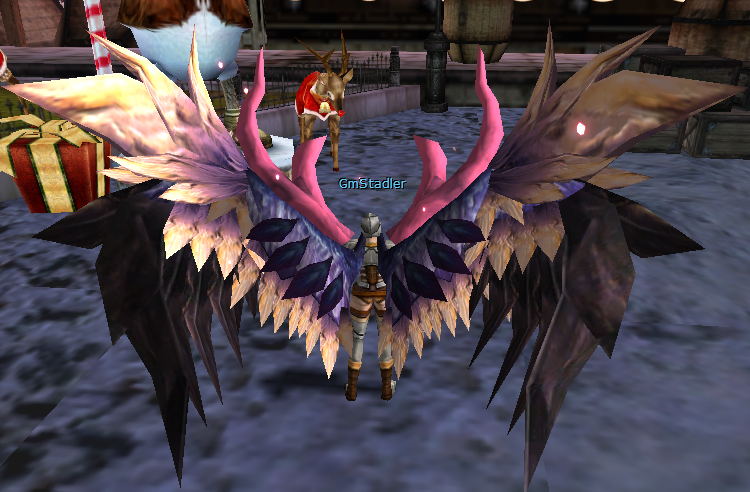
The color differs between the Karus and Human races.
The photo below shows the cape colors for Karus and Human.


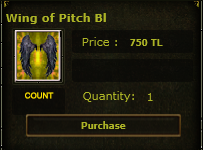
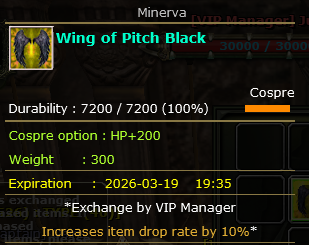
 Wing of Pitch Black (New)
200 HP, 300 Weight, 10% drop rate increase
provides these stats.

Wing of Hellfire Dragon Exchange Coupon
Can be extracted with 4 different stats. You can choose any one stat you desire.
Option 1: Nation Point +3
Option 2: Defense +50
Option 3: HP +300
Option 4: EXP +9%
___________________________________________________
It can be extracted at the VIP Manager NPC by following the steps below.
Click on the Wings of Hellfire Dragon Exchange Voucher (1 Month) tab as shown in the photo,
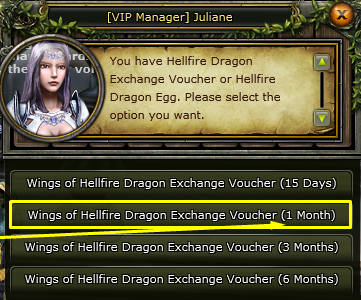
Select the desired stat from the 4 options and click on it.
As an example, the (Exchange) HP +300 option has been clicked.

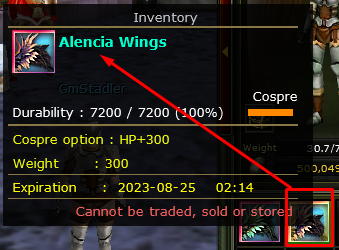
Alencia Wing (Blue) and Alencia Wing (Red) Exchange Coupon
Can be extracted in 4 different ways. You can choose the stat you desire.
Option 1: Nation Point +3
Option 2: Defense +50
Option 3: HP +300
Option 4: EXP +9%
___________________________________________________
Select the Alencia Wing (Blue) or (Red) Exchange item you obtained and click on the Exchange tab as shown in the photo,
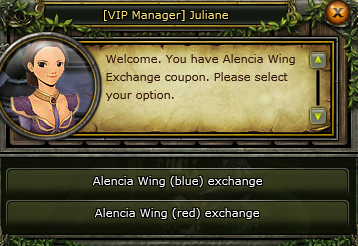
Select the desired stat from the 4 options.