 by
by
Hello Dear KnockOut4Fun Players,
 KnockOut4Fun GenIe GuIde
KnockOut4Fun GenIe GuIde
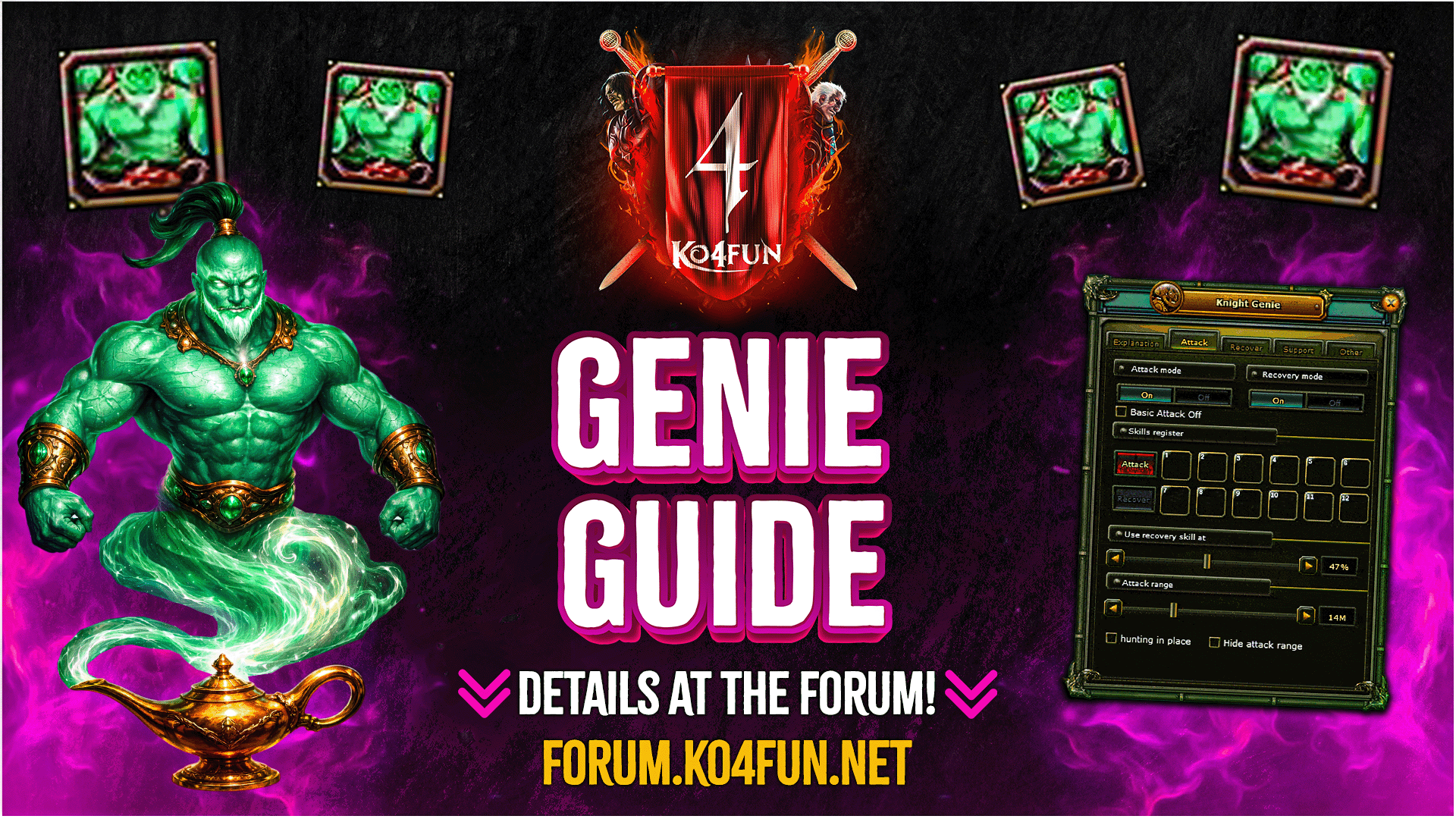
- KnockOut4Fun GENIE FEATURES -
- ⚡ Genie duration is bound to the account, not the character. You can use your Genie time on side characters and across all active servers. (Works just like Premium.)
- ⚡ Genie time is sold in 15-day packages; this duration ticks down even if you are not actively using it.
- ⚡ Genie is faster and superior to any macro program. It attacks incredibly fast.
- ⚡ Mages cannot move while using Genie; they can only use long-range attack skills. (AoE skills like Nova, Inferno, etc., cannot be used).
- ⚡ Priests will not attack with Genie while equipped with a shield.
- ⚡ When a Mage in your party has an active Genie, typing "TP" in the Party Chat will teleport you to them. (Does not work in the Ronark Land zone).
- ⚡ If your character reconnects while Genie is active, Genie will automatically resume upon logging back in.
- ⚡ Genie does not attack the opposing nation (enemy race).
KnockOut4Fun Genie can be purchased from the PUS System exclusively in the ONLY TL section.
To obtain Genie, you must exchange the Knight Genie Voucher (15 Days) item purchased from PUS at the (VIP Manager) Juliane NPC.
To obtain Genie, you must exchange the Knight Genie Voucher (15 Days) item purchased from PUS at the (VIP Manager) Juliane NPC.
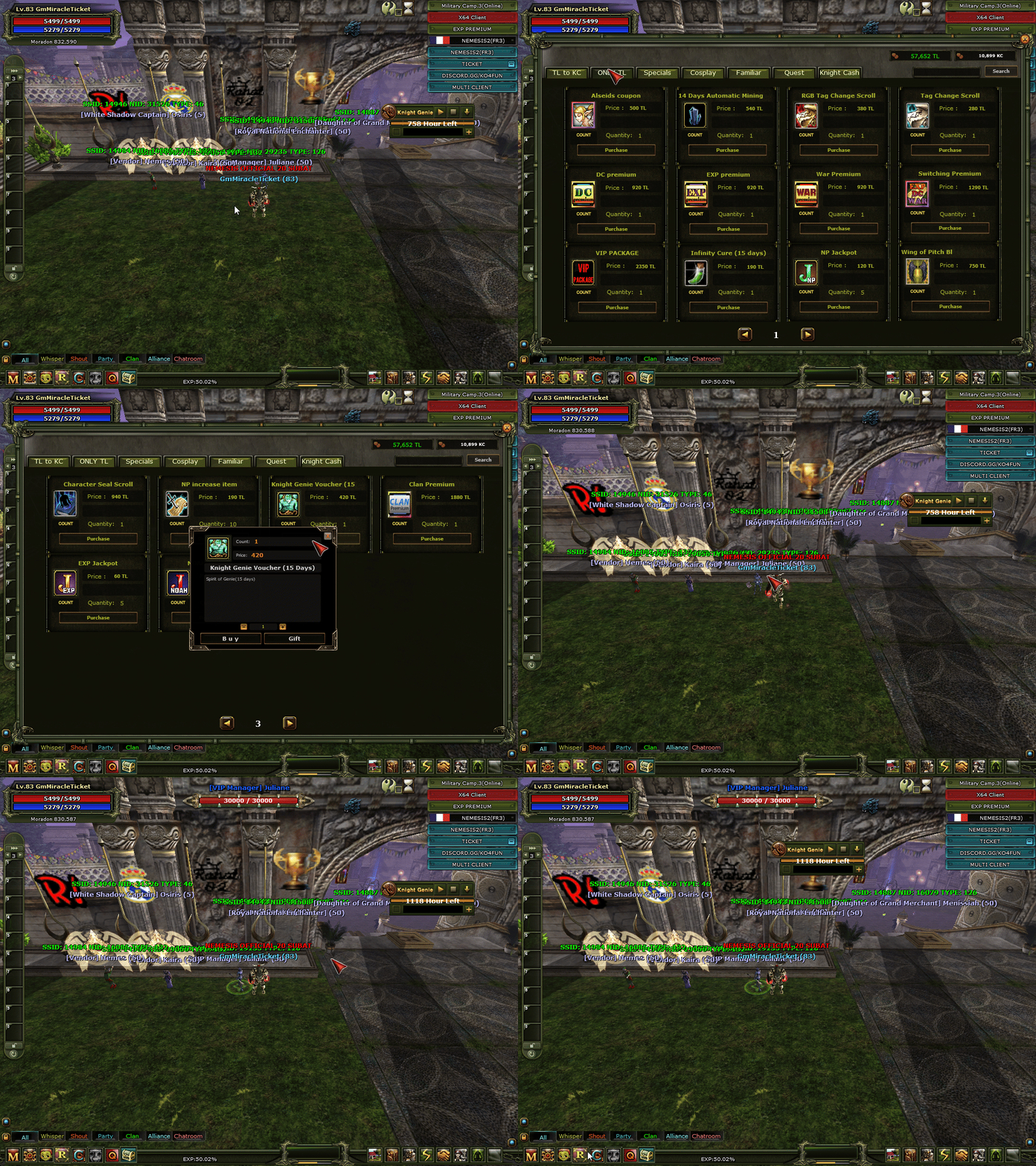
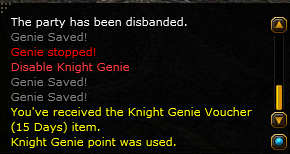
When you see the "Genie activated" notification in the info tab at the bottom right of your screen, the Genie menu will appear at the top right.
- KnockOut4Fun GENIE SETTINGS -
⚔️ Attack Tab
- Attack Mode : On (Starts attacking), Off (Stops attacking).
- Recovery mode : On (Starts recovery), Off (Stops recovery).
- NOTE : A maximum of 12 skills can be placed in the Attack and Recover tabs.
- Use Recovery skill at % : Determines at what HP % your Recovery skill (Heal, Restore, etc.) will be cast.
- Attack Range : Sets the maximum distance (in meters) for attacking targets.
- Hunting in place : Your character stays stationary and only attacks mobs within its attack range without running towards them.
- Basic Attack Off : Disables your character from running to mobs, using basic attacks (R), and performing combos.
- Hide attack range : Disables the green attack range visual effect on the ground.

🩸 Recover Tab
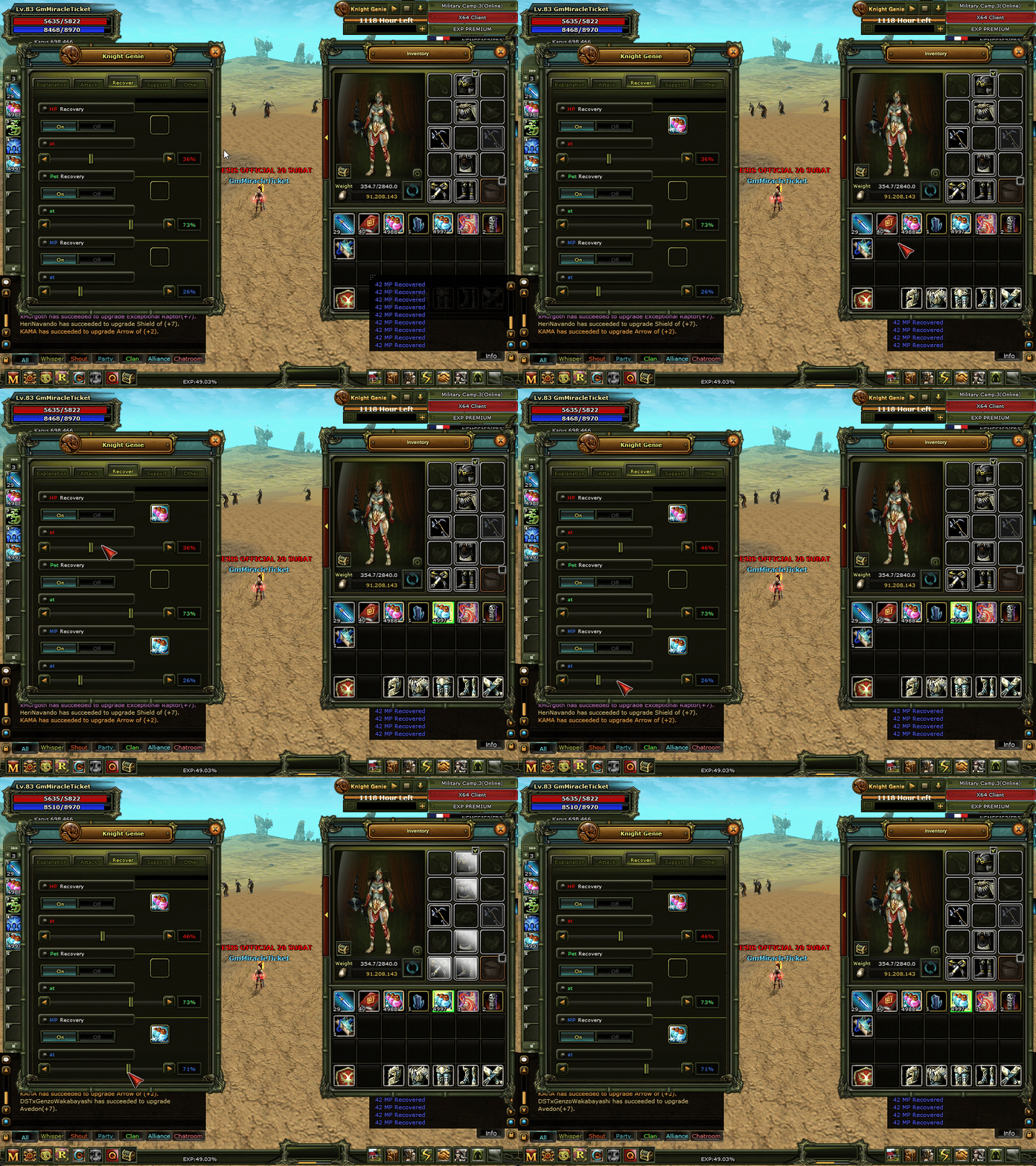
- HP Recovery : On (Enables auto HP potions), Off (Disables). (The 'at % consume potion' setting determines at what HP % the potion will be used).
- Pet Recovery : On (Enables auto Pet potions), Off (Disables). (The 'at % consume potion' setting determines at what Pet HP % the potion will be used).
- MP Recovery : On (Enables auto MP potions), Off (Disables). (The 'at % consume potion' setting determines at what MP % the potion will be used).
🛡️ Support Tab
- Set the automatic use of 2nd skill : Toggle button to enable or disable the use of a secondary skill.
- Set skills to be applied : This is the section where utility skills like Buff, AC, Resist, Def, Lupine, and STR are used. You can also place Scrolls in this section.
⚙️ Other Tab
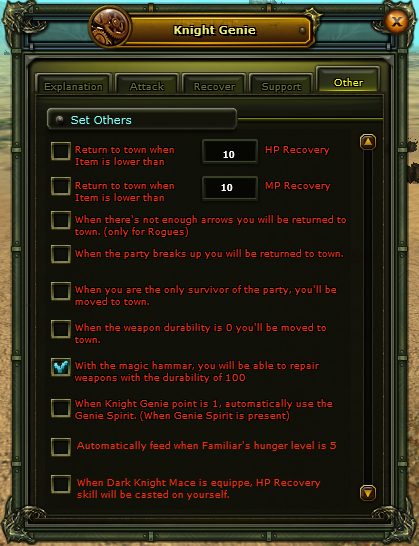
Checking the boxes next to the features you want will apply those settings.
- When the number of HP Potions in your inventory drops below your specified amount, the character returns to Town.
- When the number of MP Potions in your inventory drops below your specified amount, the character returns to Town.
- When there are not enough arrows, the character returns to Town. (Applies to Archers).
- When the party is disbanded, the character returns to the Town/Respawn zone.
- When you are the only one left in the party in your current zone, the character returns to the Town/Respawn zone.
- When weapon durability reaches 0, the character returns to the Town/Respawn zone.
- When weapon durability drops to 100, it can be repaired automatically with a Genie Hammer.
 ✅ Genie Hammer WORKS
❌ Magic Hammer DOES NOT WORK
We wish you enjoyable games! - KnockOut4Fun Management