KO4FUN Wiki
Game Systems

Tag System (RGB and Single Colour)

09.11.2026 ~1 min read Türkçe oku

Hello KnockOut4Fun Players;

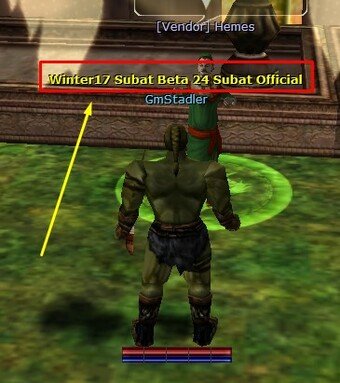
You can show your difference by adding ''tag'' on the character nick.

You can get your request from 2 different tag options from P.U.S.
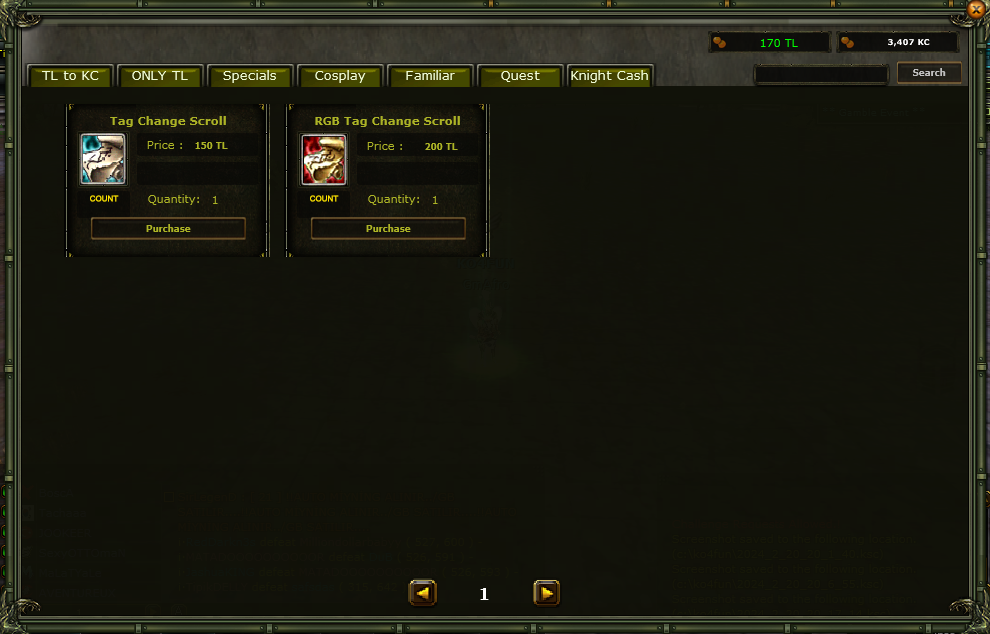
image.png.0cd9dc7978ff960afcbdd09739690c47.png

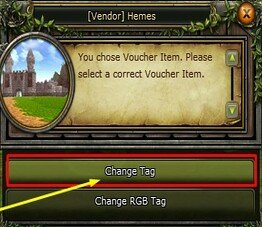
It will come on you as an Tag Change Scroll (Vendor) Hemes starts after exchange on NPC.
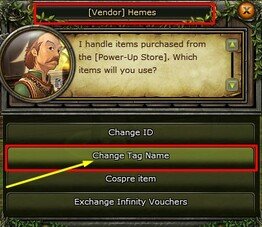
image.jpeg.afe6cb6c1982e0a45ec60b4432f947f2.jpeg

image.jpeg.36c21eb2e0774b33cbd235a68747164e.jpeg

image.jpeg.80ffbe751dc71d5505b915940e705b5f.jpeg

image.jpeg.7ce3c5e490da3b9bef272e388cf9631a.jpeg

image.jpeg.769209efef194d90aa3d06a30f82fdcb.jpeg

image.png.8200ad6a62355c72883e19f2a6e9d331.png

image.jpeg.d265f2bf162e0a7ea9768d1a22330f68.jpeg

RGB Tag Change Scroll

When you add a tag on your character's nick, the text changes in RGB color tones at certain times.

image.png.cfa12652575cf861217c668d3a0341b7.png

image.jpeg.fc5cd3ac2a92336c7b1df7be605a2c76.jpeg

Tag Change Scroll

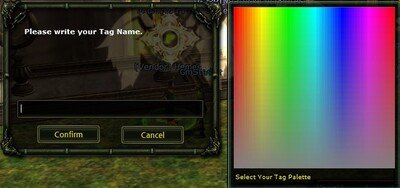
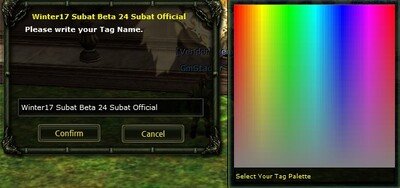
When adding a tag on your character's nick, it asks for a color, and the color you choose will appear in text.

Note: To delete a tag, you can delete it by sending a message to the game officials.

image.png.6ccff7bcd2a1324d14cc56a6a1797dc6.png

image.png.1896216f552802f6daacd8905a0fdb09.png